
Secure browser environment for controlled e-assessments
Safe Exam Browser, developed by ETH Zurich, is a secure web browser environment for carrying out e-assessments. It temporarily turns a computer into an exam workstation by limiting access to system functions, other websites, applications, and unauthorized resources during an exam. It is intended for supervised assessments rather than casual browsing or everyday classroom web use.
Top Recommended Alternative

Designed for schools, universities, certification providers, and other organizations, SEB helps deliver online exams in a more predictable environment. It can be configured with encrypted configuration files, launched through special hyperlinks, and connected to common learning management or assessment platforms.
What Safe Exam Browser is built to do
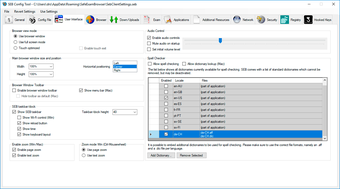
Safe Exam Browser helps institutions reduce the use of unauthorized resources during online exams. Depending on the platform and configuration, it can run in fullscreen mode or with multiple browser windows that do not include standard navigation elements. On iPad, it also supports browser tabs.
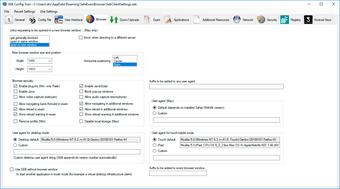
SEB can restrict access to approved websites, pages, or resources through URL filtering. It can also disable spell checking and dictionary lookup, although these features may be allowed when needed. These controls make it useful for exams where students must stay within a defined digital environment.
Configuration and security features
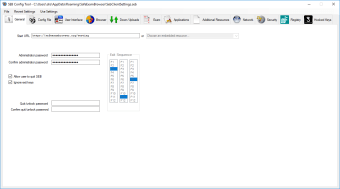
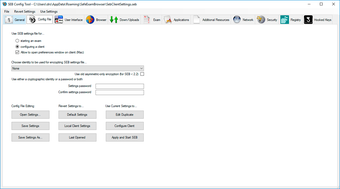
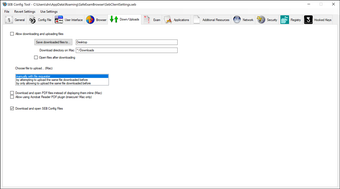
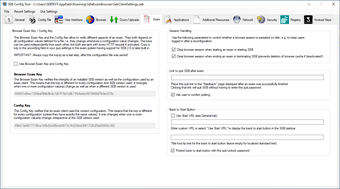
SEB uses encrypted configuration files to define exam-specific settings, such as allowed resources and browser behavior. It can also be started from another browser through special hyperlinks, allowing it to be launched and reconfigured for individual exams.
The software includes a VM detector that can identify whether it is running on a virtual machine or a jailbroken device and can refuse to start in those cases. It also supports certificate pinning, which helps protect the connection to exam servers from man-in-the-middle attacks.
LMS and exam system compatibility
Safe Exam Browser includes built-in connections to Moodle, ILIAS, OpenOlat, Inspera Assessment, and other platforms. It can also be used with basically any web-based examination system. This makes it flexible for institutions that already manage exams through online learning or testing platforms, while still needing a secure browser layer around the assessment.
Reliable exam control for web-based assessments
Safe Exam Browser gives institutions a dependable way to keep online exams focused and controlled. With secure browser settings, encrypted exam configurations, platform integrations, and exam-specific launch options, it helps schools and organizations create a fairer testing environment where students can access only what the assessment allows.